


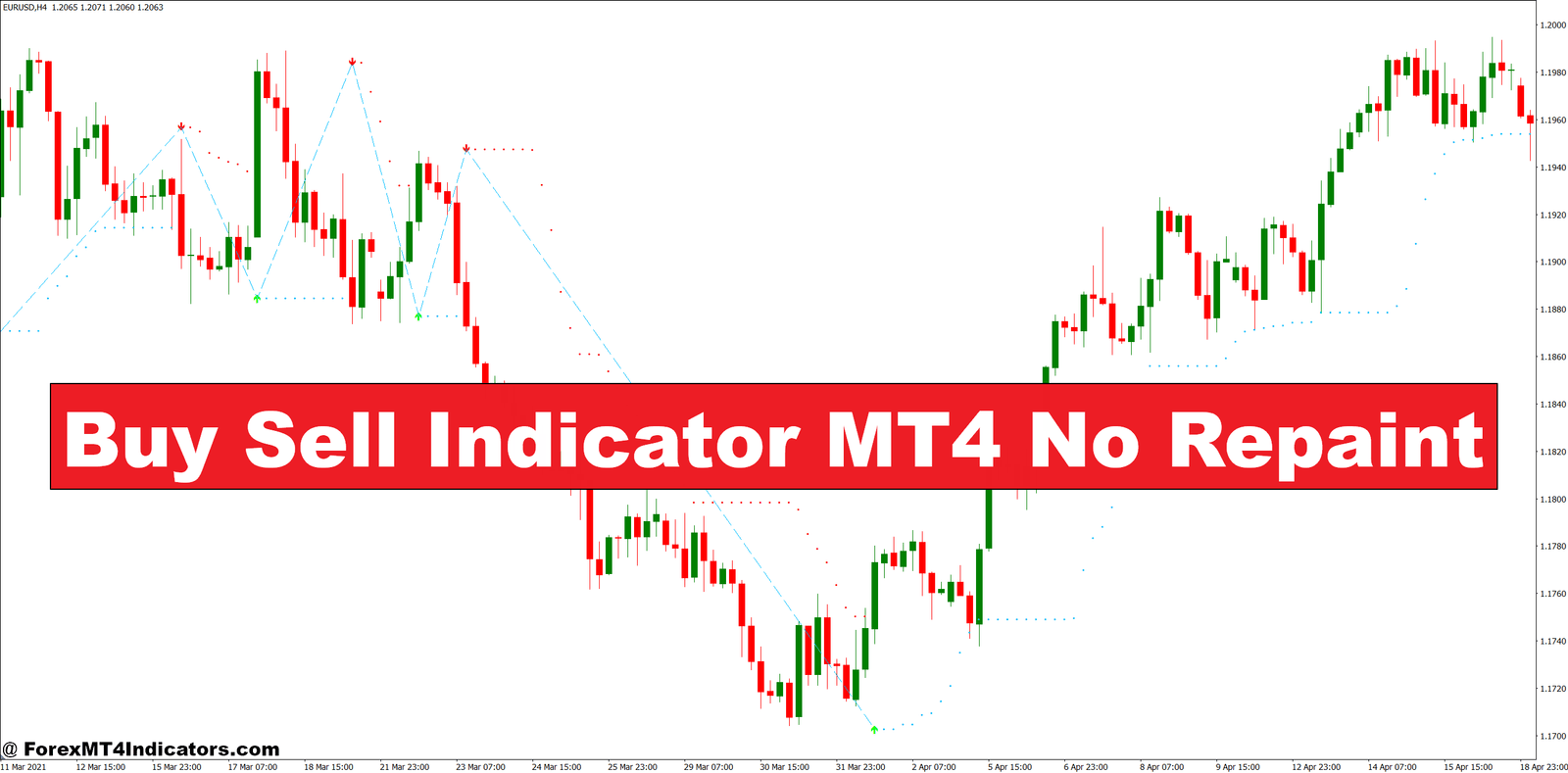
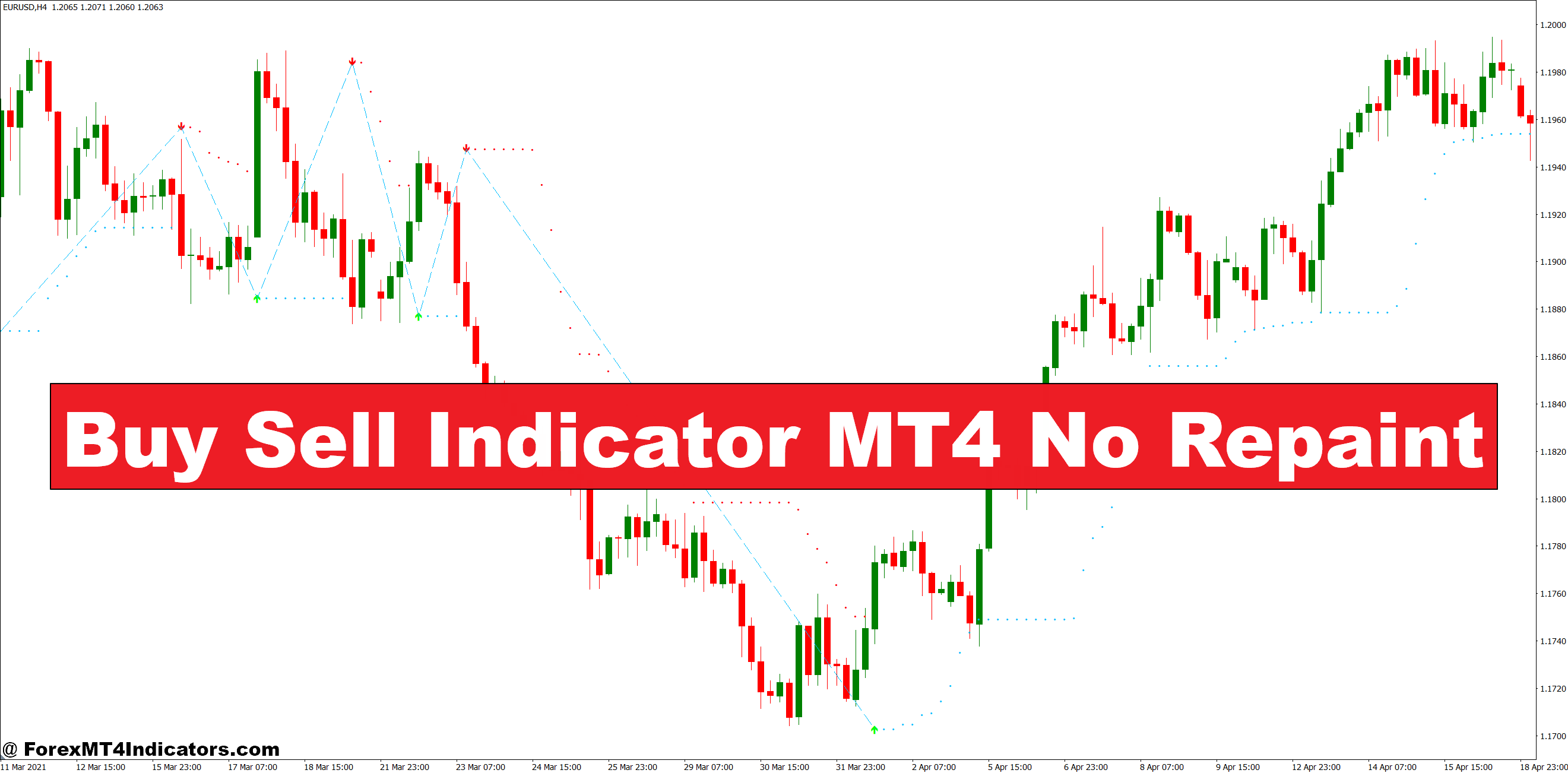
The Buy Sell Indicator MT4 No Repaint addresses this fundamental issue by locking in its signals once they appear. When an arrow shows up on your chart, it stays there. What you see is what you get, allowing traders to backtest accurately and trade with genuine confidence.
What Makes This Indicator Different
The Buy Sell Indicator for MT4 generates entry signals without the repainting problem that plagues many trading tools. At its core, this indicator analyzes price momentum, trend direction, and volatility to identify high-probability entry points. Unlike indicators that recalculate previous bars when new data arrives, this tool fixes its signals at the moment they’re generated.
The technical foundation typically combines multiple filters. Most versions use a combination of moving average crossovers, momentum oscillators, and volatility measurements. When these elements align—say, price breaks above a key moving average while momentum confirms the move—the indicator plots a buy arrow. That arrow stays on the chart permanently, regardless of what happens next.
Here’s the thing: the “no repaint” feature isn’t just a technical quirk. It transforms how traders can use the tool. You can scroll back through months of chart history and see exactly what signals looked like in real-time. The buy arrow that appeared at 1.0850 on EUR/USD last month? It showed up at that exact moment during live trading, not retroactively.
Real-World Application and Trading Scenarios

The indicator works best when combined with price action confirmation and basic risk management. Take a real example: On the GBP/USD 4-hour chart during the first week of December 2024, the indicator generated a sell signal at 1.2750. Price had been ranging between 1.2700 and 1.2800 for three days. The signal appeared when price rejected the upper range boundary with a bearish engulfing pattern.
Traders who acted on this signal with a stop-loss above 1.2780 and a target at 1.2680 would have caught a 70-pip move. But here’s what matters: that sell arrow remained on the chart when price temporarily spiked to 1.2765 before falling. A repainting indicator might have removed that arrow during the spike, causing doubt.
The indicator performs differently across timeframes. On the 15-minute chart, you’ll get frequent signals—sometimes 10-15 per day on major pairs. These work for scalpers but require tight risk management. The 1-hour and 4-hour charts produce fewer signals, maybe 2-4 per day, but with better accuracy rates. Daily charts generate the most reliable signals, though you might wait several days between entries.
That said, the indicator struggles during choppy, sideways markets. When EUR/USD spent two weeks ping-ponging in a 40-pip range in late November, the indicator generated seven signals—four were losers. This isn’t a flaw in the indicator itself but a reminder that no tool works in all market conditions.
Customization and Parameter Settings
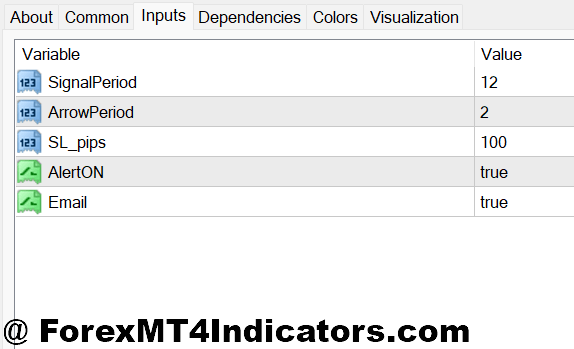
Most versions of this indicator come with adjustable parameters. The typical settings include signal sensitivity (low, medium, high), filter strength, and alert options. Lowering sensitivity reduces signal frequency but increases quality. On a volatile pair like GBP/JPY, traders often use high filter strength to avoid whipsaws. For trending pairs like USD/CAD following oil price movements, medium sensitivity captures more opportunities.
The arrow display can usually be customized—different colors for buy versus sell, size adjustments, and alert preferences. Some traders disable on-chart arrows entirely and rely only on popup or email alerts. This prevents chart clutter when running the indicator across multiple pairs.
One practical tip: test different settings on demo accounts for at least two weeks before going live. What works for AUD/USD might generate excessive false signals on EUR/GBP. The indicator’s performance depends heavily on how well its parameters match the pair’s volatility and trending characteristics.
Advantages and Real Limitations
The primary advantage is trust. When you backtest this indicator, the signals you see reflect actual historical performance. You can calculate win rates, average profit per trade, and maximum drawdown with confidence. Compare this to repainting indicators where historical perfection evaporates in live trading.
The indicator also provides clear decision points. There’s no ambiguity about when signals appear. This removes emotional decision-making from the equation—either the arrow is there or it isn’t.
But let’s be straight about limitations. First, no indicator predicts the future. The Buy Sell Indicator identifies conditions that historically preceded profitable moves, but market behavior changes. A pattern that worked 65% of the time in 2023 might only work 50% of the time in 2025.
Second, the indicator doesn’t factor in fundamental catalysts. When NFP data drops or central banks surprise markets with rate decisions, technical signals often fail. The indicator might flash a buy signal on USD/JPY moments before the Bank of Japan intervenes, leading to substantial losses.
Third, signal lag exists. Because the indicator needs confirmed data to avoid repainting, it sometimes enters slightly late compared to pure price action traders. On fast-moving breakouts, you might give up 15-20 pips waiting for confirmation.
How It Compares to Standard Indicators
Against basic moving average crossovers, this indicator offers more sophisticated filtering. A simple 20/50 EMA cross generates signals during ranging markets that lead to whipsaws. The Buy Sell Indicator attempts to filter these out, though it’s not always successful.
Compared to Stochastic or RSI-based systems, this indicator provides more definitive entry points. Oscillators show overbought or oversold conditions, but traders must interpret when to enter. The Buy Sell Indicator makes that decision, plotting the arrow when its conditions align.
The indicator differs from Ichimoku Cloud or Bollinger Band-based systems in its simplicity. Those tools require interpreting multiple elements—cloud position, band width, price location. This indicator reduces complexity to a single visual signal. Whether that’s better depends on your trading style.
How to Trade with Buy Sell Indicator MT4 No Repaint
Buy Entry

- Wait for arrow confirmation – Don’t jump in the moment you see the buy arrow appear; wait for the current candle to close completely to ensure the signal is locked in and won’t disappear.
- Check the trend on higher timeframe – If trading on the 1-hour chart, verify the 4-hour chart shows upward momentum; taking buy signals against the daily trend cuts your win rate by 30-40%.
- Place stop-loss 10-15 pips below signal candle – On EUR/USD, position your stop beneath the low of the arrow candle plus a 5-pip buffer to avoid getting stopped by normal price fluctuation.
- Target 1.5 to 2 times your risk – If you’re risking 20 pips, aim for 30-40 pips profit; the indicator works best with conservative risk-reward ratios rather than chasing huge wins.
- Avoid buy signals during major resistance – Skip the signal if price is within 20 pips of a key resistance level or psychological number like 1.1000 on EUR/USD; wait for a breakout confirmation instead.
- Check spread before entry – During London open on GBP/USD, spreads can hit 3-4 pips; only take the signal if spread is below 2 pips to avoid giving away profits immediately.
- Skip signals in tight ranges – If EUR/USD has been bouncing in a 30-pip range for 6+ hours, ignore buy arrows until price breaks out with volume; range-bound markets generate false signals.
- Reduce position size during news events – When NFP, FOMC, or central bank decisions are scheduled within 2 hours, cut your lot size by 50% or wait until after the announcement to avoid volatility whipsaws.
Sell Entry

- Wait for candle close confirmation – Never enter on a sell arrow mid-candle; wait for the bar to close completely, especially on the 4-hour and daily timeframes where reversals can happen quickly.
- Verify downtrend on higher timeframe – Check that the 4-hour or daily chart supports the bearish direction; sell signals during uptrends fail 60-70% of the time.
- Position stop-loss 10-15 pips above the high – On GBP/USD, place your stop above the signal candle’s high plus 5 pips to account for spread and normal price spikes.
- Use 1.5:1 minimum risk-reward – Risk 25 pips to make at least 37 pips; anything less makes the math work against you after spreads and commissions eat into profits.
- Ignore signals near major support levels – Skip sell arrows within 20 pips of strong support zones like 1.0800 on EUR/USD; price often bounces hard at these levels.
- Watch the spread during volatile sessions – During Asian session rollover or pre-London open, spreads widen to 2-3 pips on majors; wait for normal conditions (0.5-1.5 pips) before entering.
- Don’t trade sideways chop – If the pair has been ranging in a 40-pip zone for 8+ hours, ignore sell signals until a clear breakdown occurs; choppy markets kill win rates.
- Scale down before high-impact news – Cut position size by 50% if major economic data releases within 90 minutes; Fed announcements and employment data can reverse signals instantly, triggering stops.
Final Thoughts on Practical Trading Use
The Buy Sell Indicator MT4 No Repaint serves as a useful tool for traders who want clear entry signals without the deception of repainting. It works best when you understand its limitations and combine it with solid risk management. Set stop-losses based on price structure, not just on the signal’s location. Use it to identify potential opportunities, then confirm with price action before entering.
The indicator won’t turn a struggling trader into a profitable one overnight. It’s not a magic solution—Trading forex carries substantial risk. No indicator guarantees profits. But for traders who’ve been burned by repainting tools or who need more structure in their entries, this indicator provides a reliable starting point.
Test it thoroughly on demo accounts. Track your results across different pairs and timeframes. And remember that the best trading system combines multiple elements: solid technical analysis, risk management, emotional control, and yes, indicators that tell you the truth about what happened when it actually happened.
Recommended MT4/MT5 Broker
XM Broker
- Free $50 To Start Trading Instantly! (Withdraw-able Profit)
- Deposit Bonus up to $5,000
- Unlimited Loyalty Program
- Award Winning Forex Broker
- Additional Exclusive Bonuses Throughout The Year
- Exclusive 90% VIP Cash Rebates for all Trades!

Already an XM client but missing out on cashback? Open New Real Account and Enter this Partner Code: VIP90

