


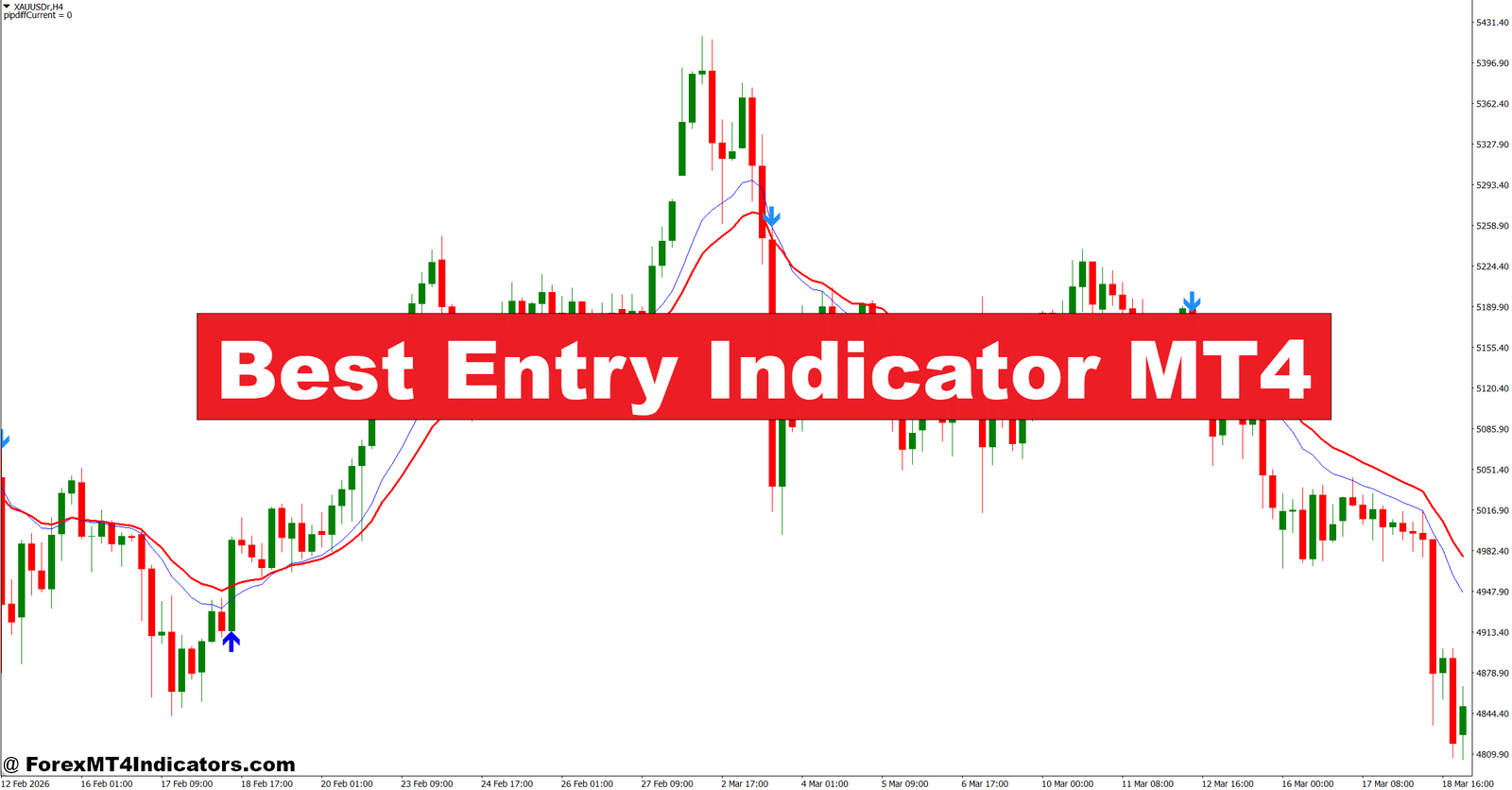

The Best Entry Indicator MT4 is a custom technical tool designed to pinpoint optimal buy and sell positions on the chart. It typically combines multiple indicators—such as moving averages, momentum oscillators, and volatility filters—into a single visual signal.
Most versions display arrows, dots, or colored zones directly on the chart. A buy arrow may appear when bullish conditions align, while a sell arrow shows when bearish pressure builds.
Unlike basic indicators like a simple moving average, this one acts more like a confirmation tool. It doesn’t just follow trend direction; it attempts to catch the moment when momentum begins to shift in favor of a trade.
Traders often compare it to tools like RSI or MACD, but the difference is simplicity. Instead of analyzing multiple indicators separately, this combines them into one signal.
How It Works in Real Market Conditions

At its core, the Best Entry Indicator MT4 relies on a mix of trend and momentum logic. Most versions follow this type of structure:
- A moving average (like 50 EMA or 200 EMA) defines the trend
- A momentum indicator (like RSI or stochastic) detects overbought or oversold conditions
- A volatility filter (like ATR) avoids low-movement periods
When these conditions align, the indicator prints a signal.
Here’s a practical example:
On EUR/USD (1-hour chart), price was trading above the 50 EMA. The indicator waited for a small pullback and then printed a buy arrow when momentum turned bullish again. Entry was taken around 1.0850. Within 3 hours, price moved up 35 pips to 1.0885.
That’s a clean trend continuation setup.
Now consider a different scenario:
During the London session, GBP/USD showed sideways movement (choppy market). The indicator printed both buy and sell signals within a tight 20-pip range. This is what traders call “whipsaw.” In such conditions, signals lose reliability.
That’s why context matters. The indicator performs best in trending markets, not during consolidation.
Practical Application and Trading Examples
Using the Best Entry Indicator MT4 isn’t just about following arrows. Traders who succeed with it apply basic price action rules alongside the signals.
Here’s how it’s typically used:
Trend Confirmation First
If EUR/USD is above the 200 EMA on the 4-hour chart, traders focus only on buy signals on lower timeframes like M15 or H1. This filters out weak trades.
Entry After Pullback
Instead of entering immediately on signal, experienced traders wait for a small retracement. For example, after a buy arrow appears, price might pull back 10–15 pips. Entering after that improves risk-to-reward.
Stop Loss Placement
A common approach is placing stop loss below the recent swing low (for buy trades). On average, this could be 15–25 pips on M15 or 30–50 pips on H1.
Take Profit Strategy
Some traders aim for a fixed 1:2 risk-reward ratio. If the stop loss is 20 pips, the target becomes 40 pips. Others trail stops using structure or moving averages.
During NFP (Non-Farm Payroll) news, signals can appear but behave unpredictably. Many experienced traders avoid using entry indicators during high-impact news events because volatility spikes can create false signals.
Best Entry Indicator MT4 Settings and Customization

The Best Entry Indicator MT4 often comes with adjustable settings. These allow traders to match it with their strategy and timeframe.
Common Settings Include:
- Moving Average Period: Default is usually 50 or 100. Lower values give faster signals but more noise.
- RSI Period: Often set to 14. Reducing it to 7 makes it more sensitive.
- Signal Sensitivity: Higher sensitivity produces more signals but increases risk of false entries.
- Alert Settings: Pop-up or sound alerts when a signal appears
Best Settings by Timeframe:
- Scalping (M5–M15): Use faster settings (e.g., MA 20, RSI 7)
- Intraday (M30–H1): Balanced settings (MA 50, RSI 14)
- Swing Trading (H4–D1): Slower settings (MA 100–200, RSI 14–21)
There’s no perfect setup. Traders usually test settings on demo accounts before using real money.
Advantages and Limitations
Advantages
The biggest strength of the Best Entry Indicator MT4 is clarity. It simplifies decision-making by combining multiple signals into one.
It also saves time. Traders don’t need to check several indicators separately. Everything appears directly on the chart.
Another benefit is consistency. When rules are followed, it helps reduce emotional trading. Instead of guessing, traders act based on predefined signals.
Limitations
But it’s not flawless.
In ranging markets, signals can become unreliable. Traders may enter multiple losing trades if they rely on it blindly.
There’s also lag. Since it uses moving averages and momentum indicators, signals may appear slightly after the move has started.
And here’s the honest part—no indicator predicts the market perfectly. Even strong setups can fail due to unexpected news or sudden liquidity shifts.
Trading forex carries substantial risk. No indicator guarantees profits.
Comparison With Similar Indicators
Traders often compare the Best Entry Indicator MT4 with popular tools like:
RSI (Relative Strength Index)
RSI focuses only on momentum. It shows overbought and oversold zones but doesn’t define trend clearly. The Best Entry Indicator combines both.
MACD
MACD is strong for trend and momentum but requires interpretation. Crossovers and histogram changes take practice. The Best Entry Indicator simplifies this into visual signals.
Moving Averages
Moving averages are great for trend direction but don’t provide precise entries. This indicator builds on them by adding timing elements.
So what makes it different? It acts like a “decision layer” on top of standard indicators. Instead of analyzing multiple tools, traders get a clearer entry signal in one place.
How to Trade with Best Entry Indicator MT4
Buy Entry

- Trade in confirmed uptrend – Only take buy signals when price is above the 200 EMA on the 1-hour or 4-hour chart to avoid counter-trend trades and reduce false entries.
- Enter on fresh buy arrow – Open a buy trade immediately after a new signal appears on EUR/USD (1H), ideally within 1–2 candles to catch momentum early.
- Wait for pullback entry – If price spikes after the signal, wait for a 10–15 pip retracement before entering to improve risk-to-reward ratio.
- Confirm with bullish candle close – Enter only if a strong bullish candle closes above the signal level with at least 60–70% body size, showing real buying pressure.
- Set tight stop loss below swing low – Place stop loss 20–30 pips below the recent support level on H1 charts to control downside risk.
- Target minimum 1:2 ratio – Aim for at least 40–60 pips take profit if risking 20–30 pips, especially on GBP/USD where volatility supports larger moves.
- Avoid ranging markets – Skip buy signals if price is stuck within a 20–30 pip range, as this leads to whipsaws and repeated small losses.
- Ignore signals during major news – Do not trade during high-impact events like NFP or CPI, as spreads widen and signals become unreliable.
Sell Entry

- Trade in confirmed downtrend – Only take sell signals when price is below the 200 EMA on the 1-hour or 4-hour chart to stay aligned with market direction.
- Enter on fresh sell arrow – Open a sell trade within the first 1–2 candles after the signal appears on GBP/USD (1H) to catch early bearish momentum.
- Wait for minor pullback – If price drops quickly, wait for a 10–20 pip retracement upward before entering to avoid selling at the bottom.
- Confirm bearish candle strength – Enter only if a strong bearish candle closes below the signal zone with a solid body (at least 60% of candle size).
- Place stop loss above resistance – Set stop loss 25–35 pips above the recent swing high on H1 to protect against sudden reversals.
- Use structured take profit levels – Target 50–80 pips on 4-hour setups, especially when trading trending pairs like EUR/USD.
- Avoid low volatility sessions – Skip trades during Asian session when range is often under 25 pips, leading to weak follow-through.
- Stay out in choppy conditions – If multiple buy/sell signals appear within 10–15 candles, avoid trading as the market lacks clear direction.
Conclusion
The Best Entry Indicator MT4 helps traders improve timing, but it works best when combined with basic trading principles. It’s not about following arrows blindly—it’s about understanding context.
Key takeaways are simple. It identifies entry points using trend and momentum, performs better in trending markets than in sideways conditions, and requires proper risk management to be effective. Traders who test it on pairs like EUR/USD or GBP/USD across different timeframes often see the most consistent results when they align signals with overall market structure.
Used wisely, it can reduce hesitation and improve trade consistency. But it won’t replace discipline or strategy. The next step is to test it on a demo account, adjust the settings, and see how it behaves in real-time conditions before risking capital.
Recommended MT4/MT5 Broker
XM Broker
- Free $50 To Start Trading Instantly! (Withdraw-able Profit)
- Deposit Bonus up to $5,000
- Unlimited Loyalty Program
- Award Winning Forex Broker
- Additional Exclusive Bonuses Throughout The Year
- Exclusive 90% VIP Cash Rebates for all Trades!

Already an XM client but missing out on cashback? Open New Real Account and Enter this Partner Code: VIP90

