




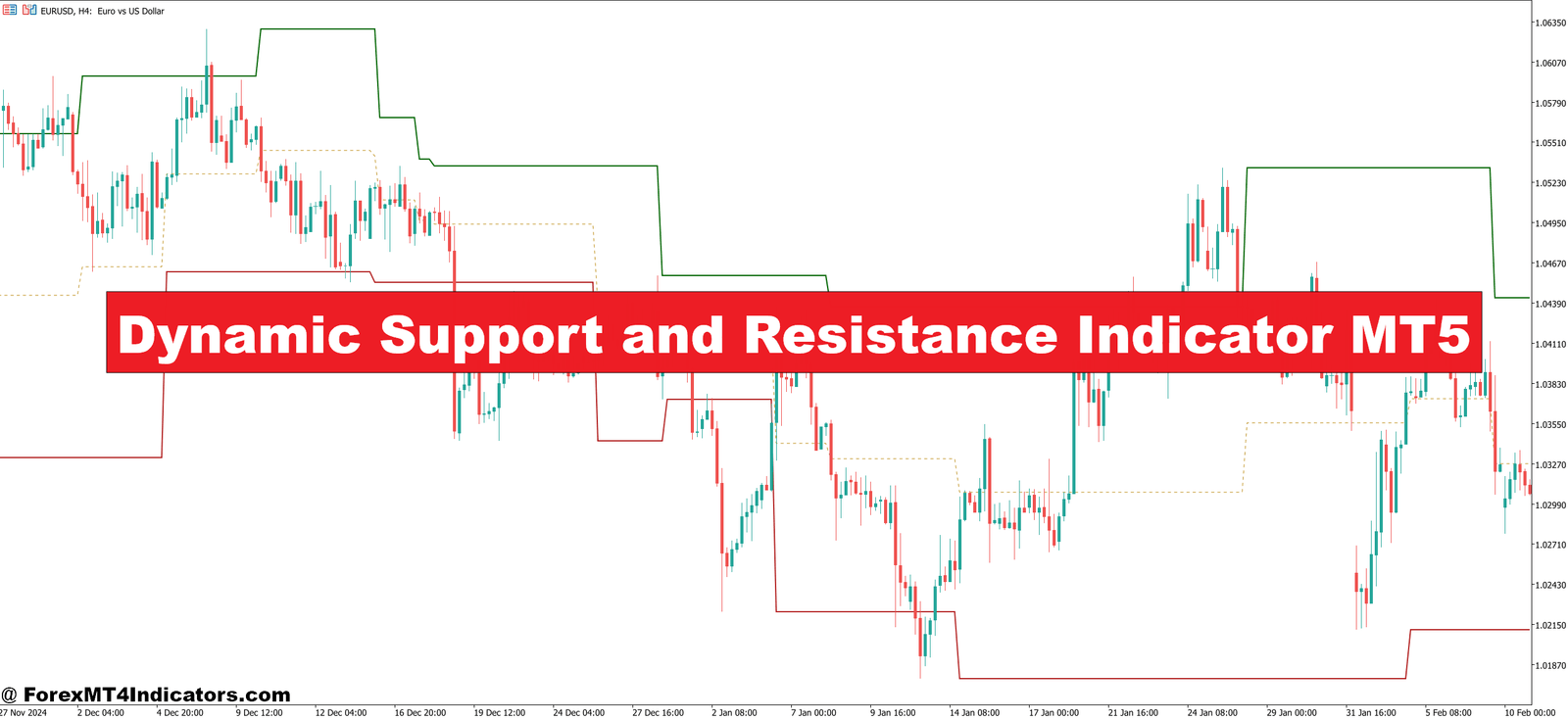
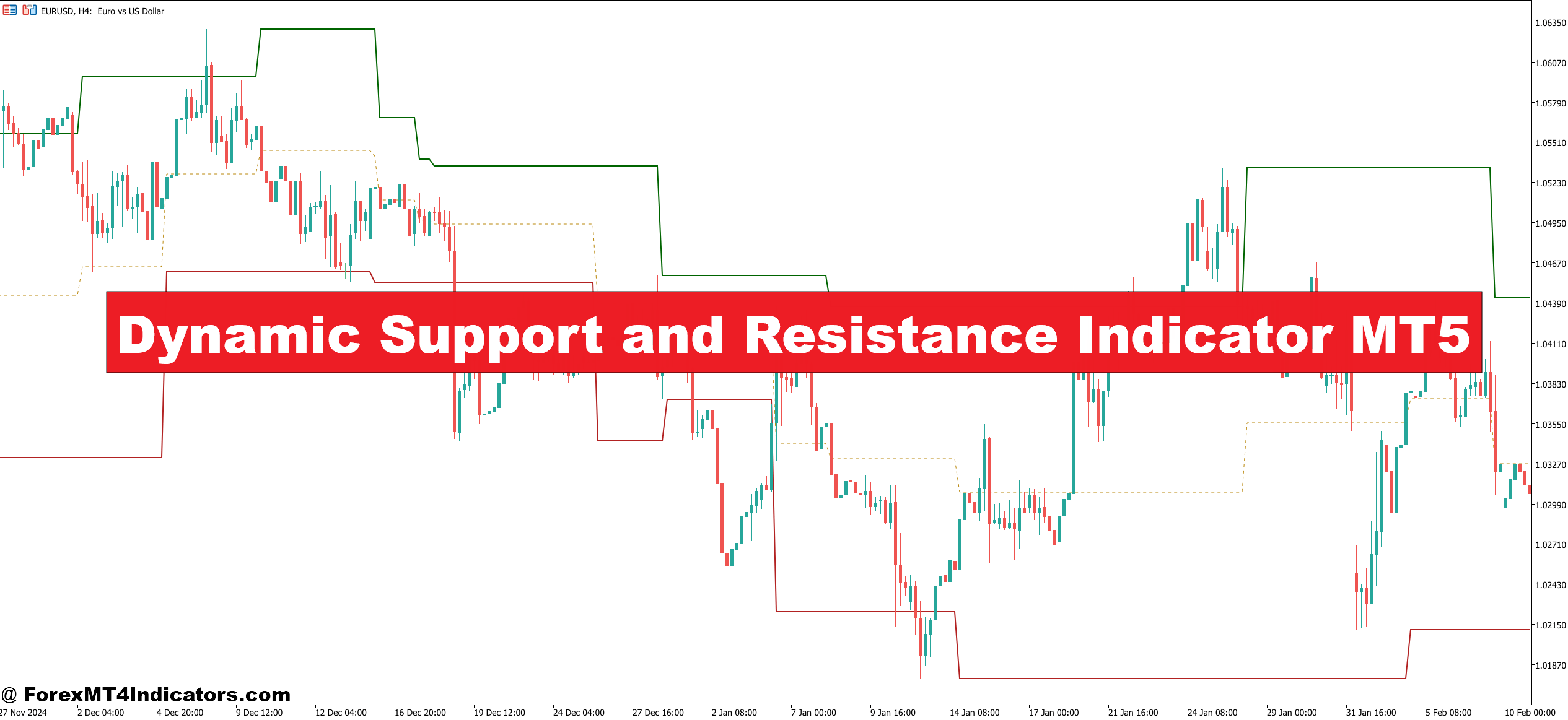
The core logic isn’t magic. The indicator calculates support and resistance zones using a combination of recent swing highs and lows, price action clustering, and in most versions, a smoothing mechanism similar to a moving average applied to pivot structures.
What separates it from a basic pivot point indicator is that the zones recalculate based on a rolling lookback period. As new candles form, old levels that price has moved away from get removed, and new ones appear where price is spending time. Think of it as the indicator constantly asking: “Where is price finding friction right now?”
Some versions also use ATR (Average True Range) to define the width of each zone, which makes it adaptive to volatility. On a calm EUR/USD day, the zones might be tight — 10 to 15 pips wide. On an NFP Friday, those same zones can stretch to 40 or 50 pips to account for the increased noise. That’s a practical feature most static tools don’t offer.
Using It in Real Trading Situations
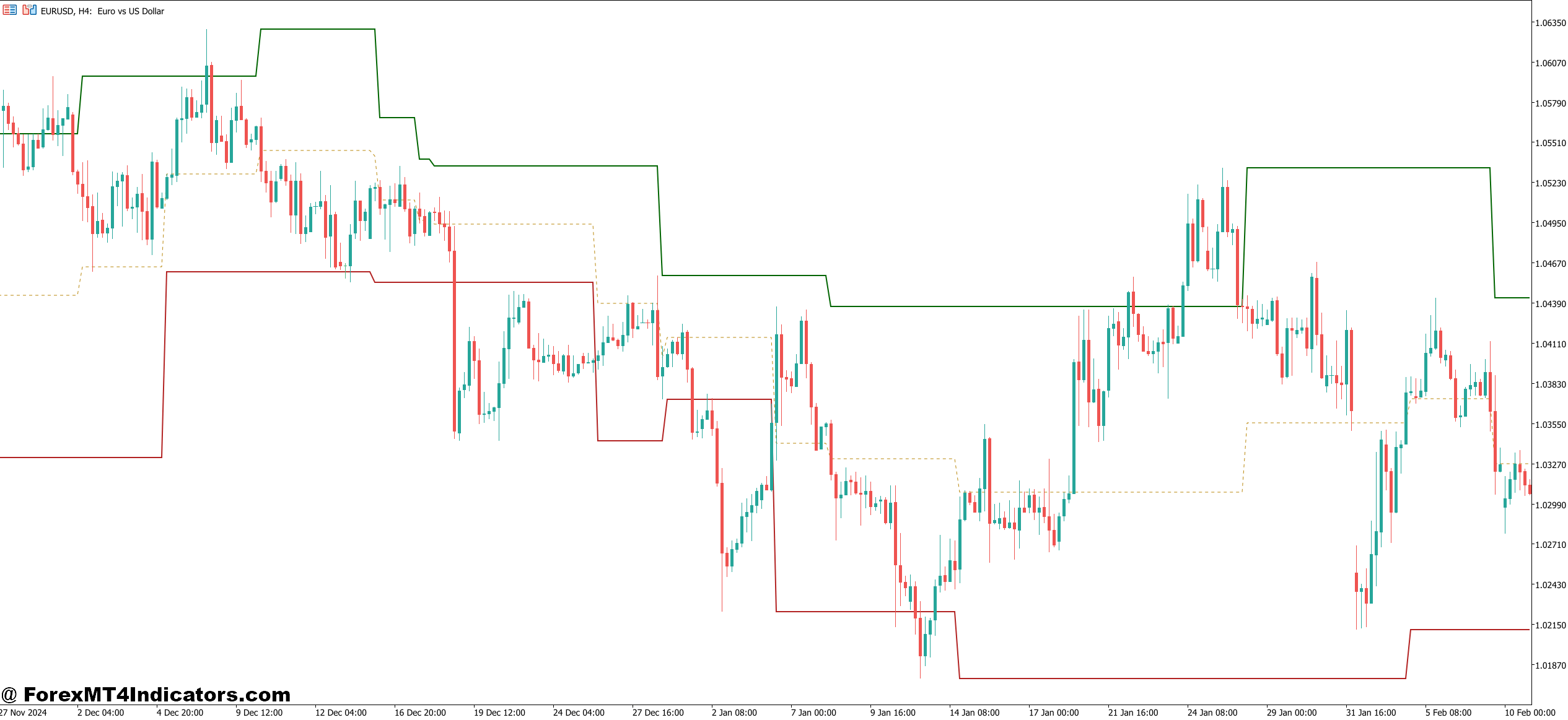
Here’s where it gets practical. Take the EUR/USD on the 1-hour chart during a trending week in early 2024. Price was pushing higher, and the indicator kept generating a new dynamic support zone just below each consolidation area — essentially tracking the base of every minor pullback. Traders who used these zones as entry points on the retrace, combined with a confirmation candle, caught several clean 30-40 pip moves with tight stops just below the zone.
That’s the intended use case: not predicting direction, but identifying where price is likely to react so traders can plan entries with defined risk.
On the flip side, during choppy, range-bound conditions — like GBP/USD sitting in a 60-pip range for two days — the indicator tends to generate overlapping zones that clutter the chart. Price slices through them repeatedly, and using them blindly leads to whipsaw after whipsaw. That’s not a flaw unique to this tool; it’s the nature of any support/resistance method in chop.
The fix? Add a trend filter. A simple 50 EMA works. If price is above the 50 EMA, only trade the dynamic support zones. Below it, focus on the resistance zones. This single filter cuts a lot of the noise.
Dynamic Support and Resistance Indicator MT5 Settings and Customization
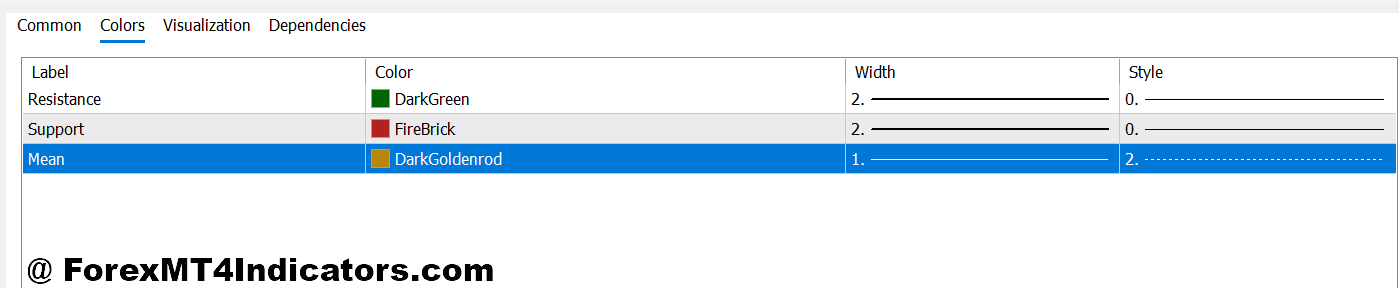
Most MT5 versions of this indicator come with a few key parameters worth understanding:
The lookback period controls how many bars the indicator scans to identify swing points. A shorter period (20-30 bars) makes it more reactive — good for scalping the 15-minute chart on USD/JPY. A longer period (100+ bars) makes the zones more significant but slower to update — better suited for the 4-hour or daily chart where swing traders operate.
Zone sensitivity or threshold settings determine how close price needs to cluster before a zone gets drawn. Lower sensitivity draws more zones; higher sensitivity draws fewer but stronger ones. For newer users, starting with default settings and adjusting after observing the indicator across 50-100 candles of live price action is usually the smarter approach.
Color coding matters more than it sounds. Most traders set support zones to green and resistance to red. When a zone flips — former resistance becoming support after a breakout — many versions of the indicator automatically update the color. Watching for those flips in real time can signal strong momentum moves worth trading.
Honest Strengths and Weaknesses

The biggest strength here is objectivity. Manually drawn support and resistance lines are subjective — two traders looking at the same chart often draw them differently. This indicator removes that debate and gives a consistent, rule-based output.
It also saves time. For traders watching five or six pairs simultaneously, not having to redraw levels across multiple charts every morning is genuinely useful.
That said, the indicator doesn’t predict anything. It shows where price has found support or resistance based on recent data. Whether price will respect those zones again depends on market context, fundamentals, news events, and factors the indicator simply doesn’t see. Treating these zones as guaranteed turning points is where traders get into trouble.
Compared to something like Bollinger Bands or Keltner Channels — which also offer dynamic reference points — this indicator is more focused specifically on structure. Bollinger Bands reflect volatility expansion and contraction; this tool is laser-focused on price memory and reaction zones. Neither is better in isolation. They answer different questions.
How to Trade with Dynamic Support and Resistance Indicator MT5
Buy Entry

- Price touches dynamic support zone – Wait for price to close above the lower boundary of the support zone on the 1-hour or 4-hour chart before entering long.
- Bullish confirmation candle forms – Look for a strong engulfing or pin bar candle at the zone. Don’t enter on the touch alone — confirmation matters.
- Zone holds after second test – If EUR/USD retests the same dynamic support twice within 10-15 candles without breaking it, the buy signal carries more weight.
- 50 EMA sits below price – Only take buy setups when price trades above the 50 EMA. Buying support in a downtrend leads to unnecessary losses.
- Place stop-loss 5-10 pips below zone – Set the stop just beneath the dynamic support boundary, adjusted for ATR on volatile pairs like GBP/USD.
- Target the nearest resistance zone – Aim for a minimum 1:2 risk-to-reward ratio. If the zone is only 15 pips away, skip the trade.
- Avoid buying during major news events – NFP, CPI, and FOMC releases make zones unreliable. Wait 30 minutes after the release before entering.
- Skip the signal if zones overlap – Multiple stacked zones within 20 pips of each other signal choppy conditions. Wait for price to break clear before trading.
Sell Entry

- Price rejects dynamic resistance zone – Enter short when price closes back below the upper boundary of the resistance zone on the 1-hour or 4-hour chart.
- Bearish candle closes inside the zone – A shooting star or bearish engulfing at resistance confirms sellers are active. No candle confirmation, no trade.
- Resistance zone aligns with previous structure – On GBP/USD daily chart, a dynamic zone sitting at a prior swing high adds extra confluence and strengthens the sell case.
- 50 EMA sits above price – Only sell resistance zones when price trades below the 50 EMA. Shorting in a strong uptrend fights the trend and drains accounts.
- Place stop-loss 5-8 pips above zone – Set stops just above the resistance ceiling. Tighter stops work on calm sessions; widen slightly during London open volatility.
- Target dynamic support below – Use the nearest support zone as the profit target. Minimum 1:2 risk-to-reward — anything less isn’t worth the exposure.
- Don’t short a zone that already flipped – If resistance recently broke and price is now retesting it as support, the zone has flipped. Selling it is a common and costly mistake.
- Avoid sell signals in low-volume sessions – Asian session chop on EUR/USD frequently fakes out resistance zones. Wait for London or New York session for higher-quality setups.
Worth Adding to the Chart?
The Dynamic Support and Resistance Indicator for MT5 earns its place on the chart for traders who trade price action around structure. It automates a time-consuming task, brings consistency to zone identification, and adapts to changing market conditions better than static horizontal lines.
But it works best as one layer of a trading plan, not the whole thing. Pair it with trend confirmation, volume context, or a momentum oscillator, and the signals improve significantly. Use it alone without any filter, and the false signals — especially in ranging markets — will add up.
Trading forex carries substantial risk, and no indicator guarantees profits. Anyone using this tool in live markets should test it thoroughly on a demo account first, understand its limitations, and never risk more than they can afford to lose.
The traders who get the most out of tools like this aren’t the ones looking for a shortcut. They’re the ones who take the time to understand what the tool actually measures — and what it doesn’t.
Recommended MT4/MT5 Broker
XM Broker
- Free $50 To Start Trading Instantly! (Withdraw-able Profit)
- Deposit Bonus up to $5,000
- Unlimited Loyalty Program
- Award Winning Forex Broker
- Additional Exclusive Bonuses Throughout The Year
- Exclusive 90% VIP Cash Rebates for all Trades!


Already an XM client but missing out on cashback? Open New Real Account and Enter this Partner Code: VIP90
(Free MT4 Indicators Download)